Webflow's most installed Shopify integration

Shopify Webflow Integration

Connect your Shopify store to Webflow and build the storefront visually. Products sync to Webflow CMS, checkout runs on Shopify. No code, no embeds, no theme.
Free until you launch
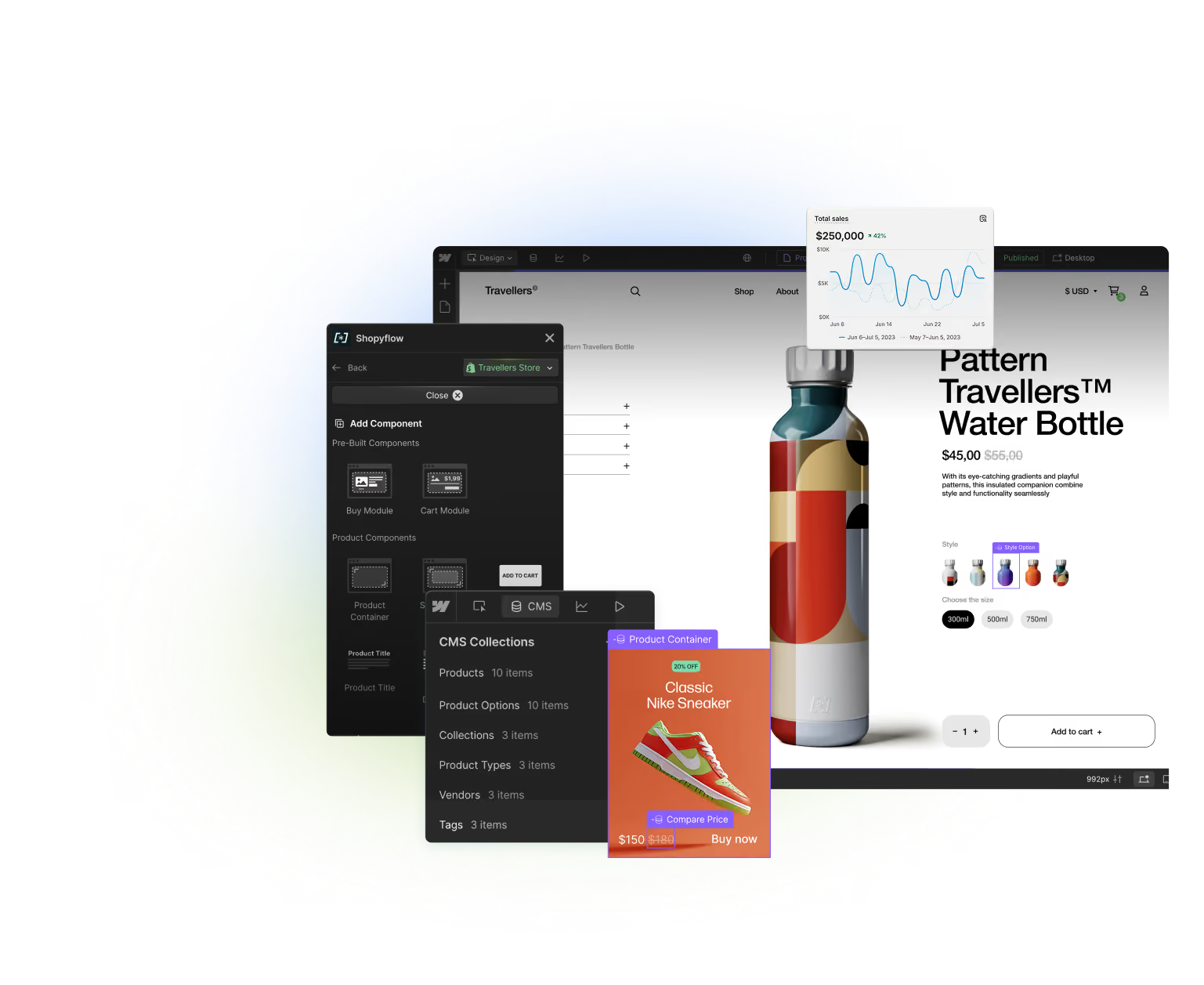
Storesynk Webflow App shown in front of a product page built in Webflow.
BEST OF BOTH WORLDS

Run your store
on the dream stack

Storesynk enables you to take advantage of both platforms without compromising on any features.

Shopify, Storesynk and Webflow logos seen together representing Storesynk being the bridge between the two

Manage in Shopify

Inventory
Management
Payment
Gateways
Analytics
& Insights
Customers
& Discounts
Orders  
& Fulfilment

Build & Publish in Webflow

Best no-code
site builder
Limitless
customization
Unmatched
Site Speed
Robust CMS
Apps &
Integrations
Advanced
SEO Features

Launch design-driven, robust storefronts at speed

Build and manage pixel-perfect storefronts in Webflow with Shopify powering your ecommerce operations.

Feature-rich shopping experiences made simple

Native support for bundles, upsells, tracking and more. JavaScript API for extending the functionality and building unique shopping flows.

One-click setup,
all-native workflow

Get started in minutes with a no-code, simple setup. Start building your store with native Webflow components, tools and workflows.

Free until you launch
CUSTOMERS

Thousands are already on board, building advanced Shopify storefronts the Webflow way

Weingut Baer
Viva Clandestino
TRTMNT
Elsolal
Rise Complete
Powerlogic
Neurable
Liquid Cheers
Item m6
INCYT
I Dream For You
Holma
Hiatus
Eco Varmo
Icetubs
Hippie Water
Loki
Vilmer
Uncle Dan's
Vedeoo
Mana
Wellnesshaus
White Coco
Zest
the workflow

How the Shopify Webflow integration works

Four steps from an empty Webflow project to a live Shopify store.

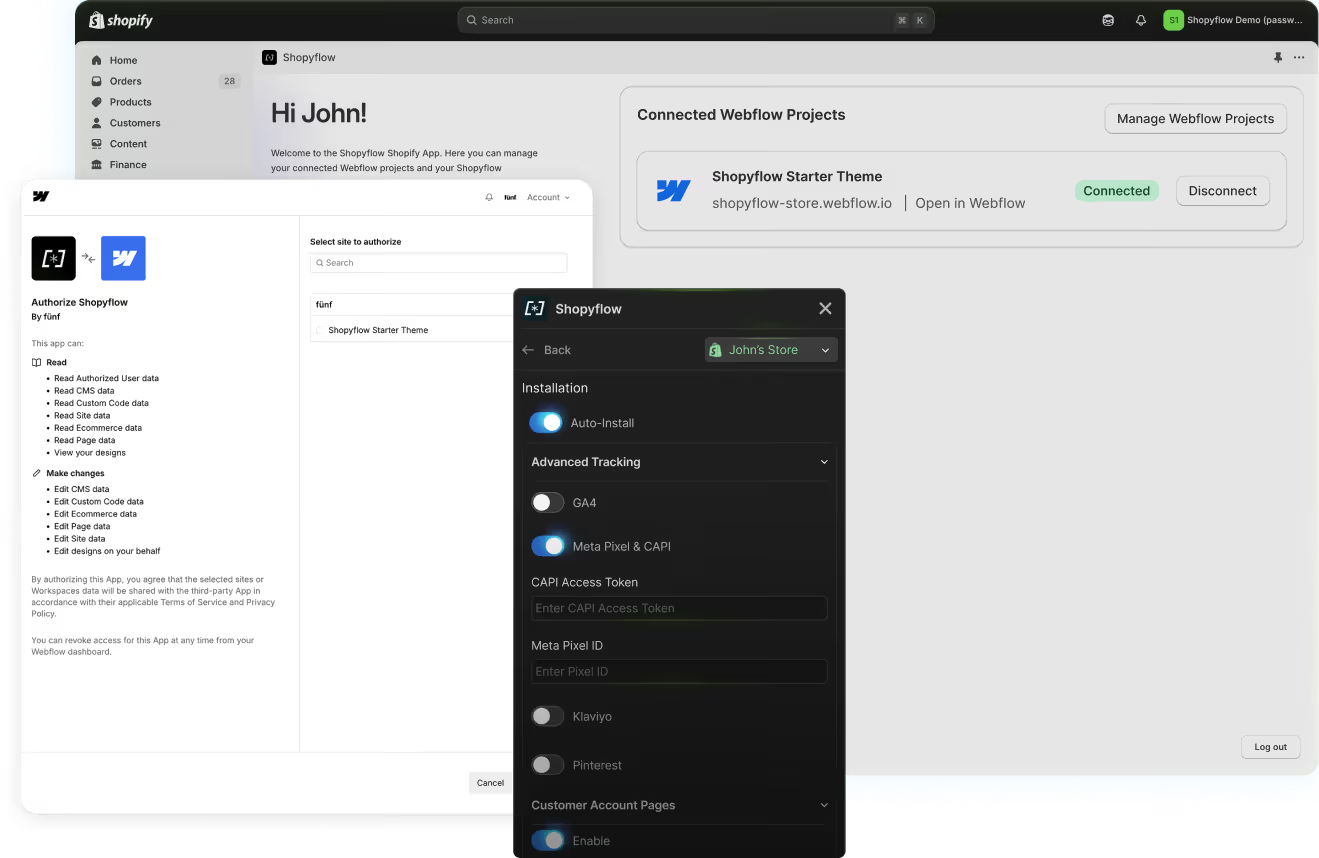
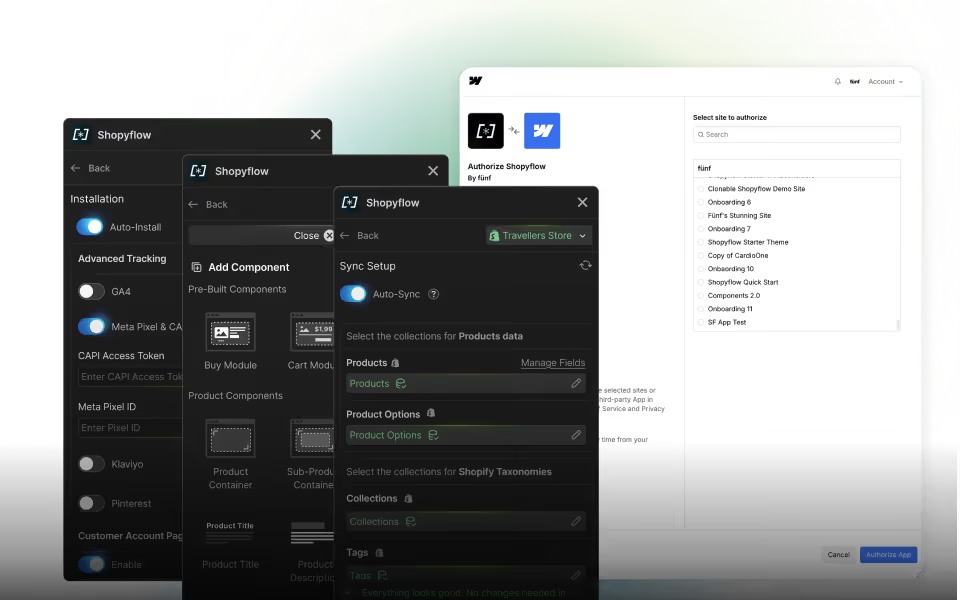
Installation is done with 2 native apps on both platforms.

  • Storesynk Shopify App authenticates your Webflow project to access Shopify data.
  • Storesynk Webflow App brings Shopify data and functionality into your Webflow Designer.

All your storefront is managed from inside Webflow, no extra setup required.

‍

Storesynk Shopify App and Webflow OAuth screen side by side

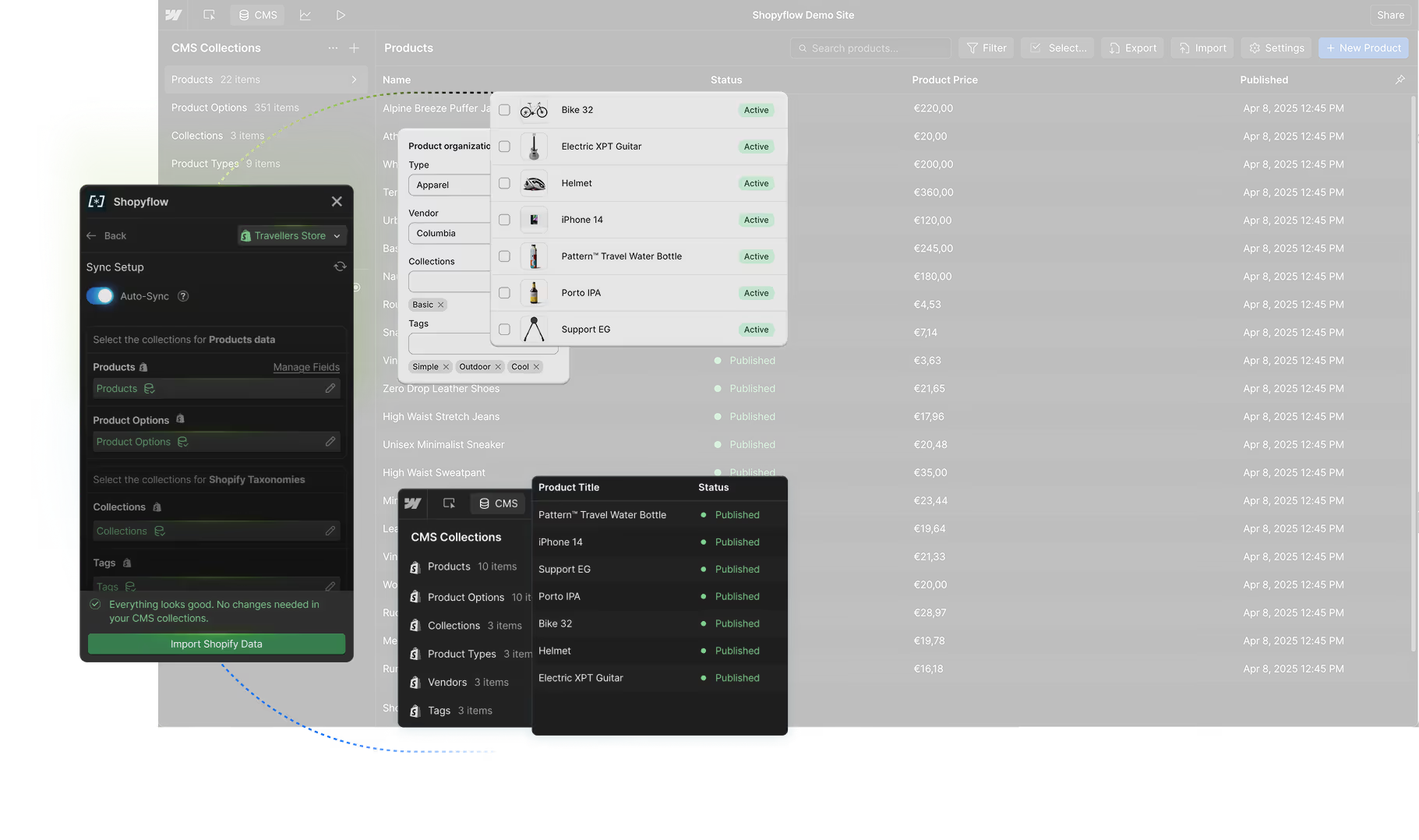
Storesynk syncs your Shopify product data—variants, collections, tags, and more—into Webflow CMS in real time.

  • Build visually in Webflow using live Shopify data.
  • Create SEO-friendly collection pages using synced taxonomies.
  • Webflow serves static pages, so content loads instantly with no layout shifts.

‍

Sync screen inside Storesynk Webflow App

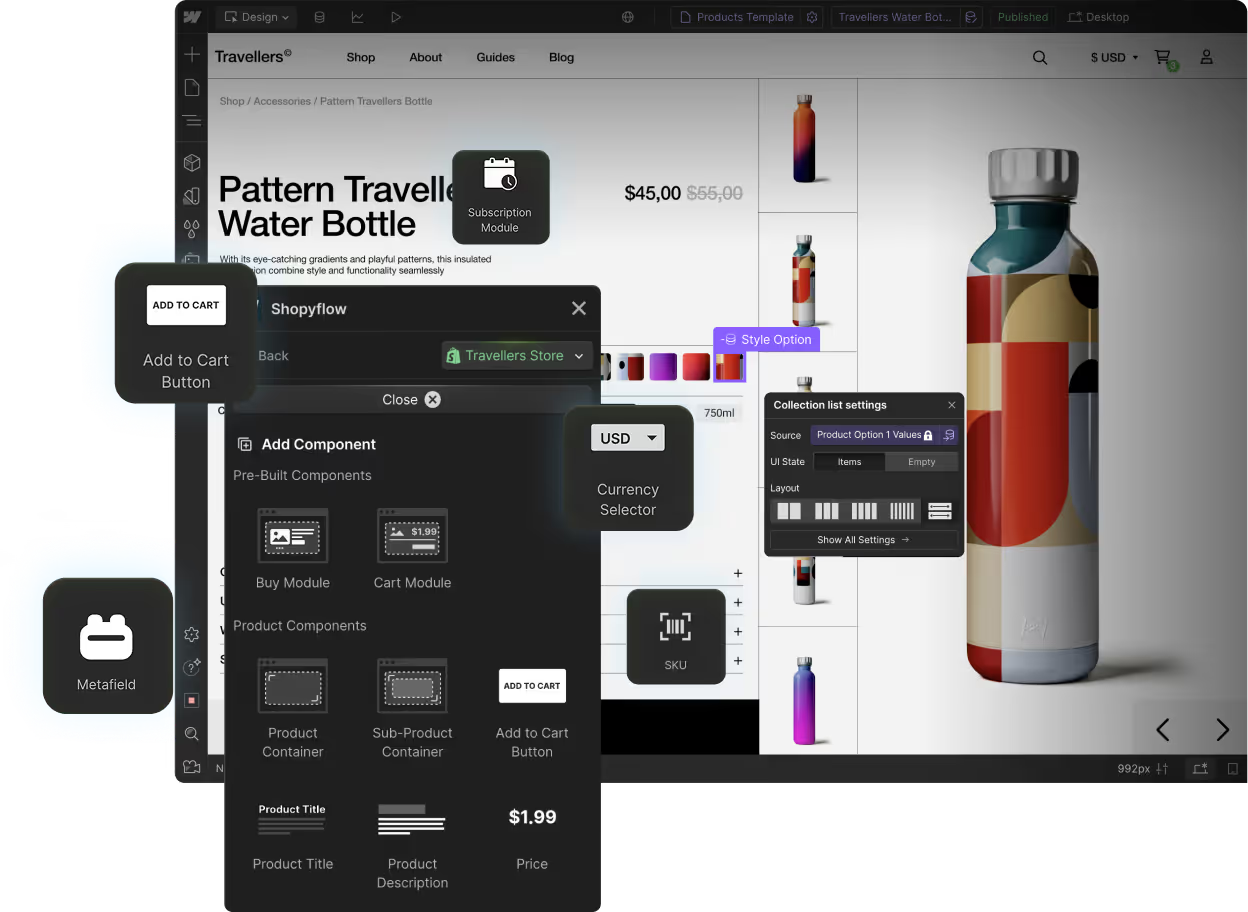
Design and development of your storefront is done visually in the Webflow Designer.

‍

Storesynk component library seen in Storesynk Webflow App

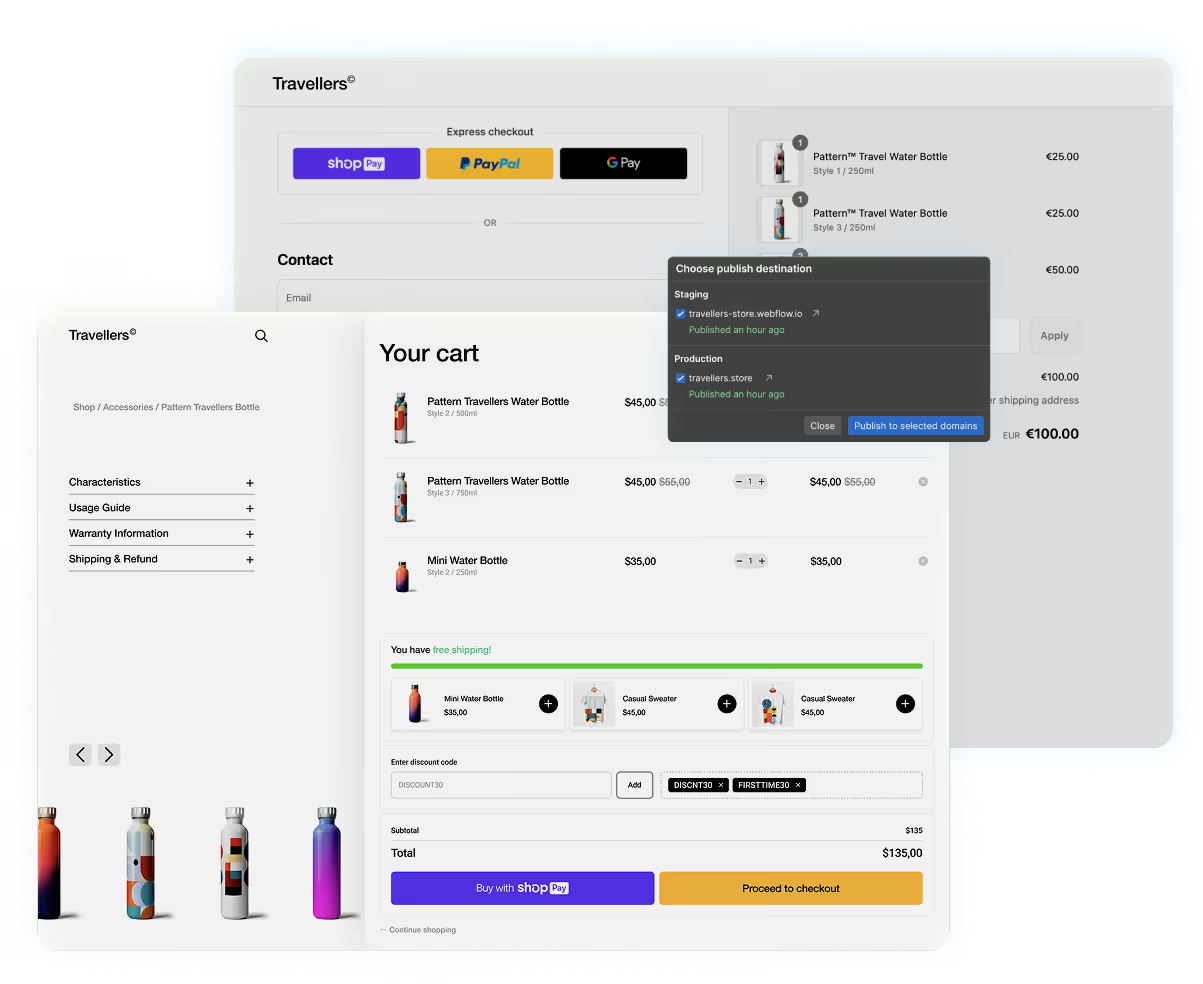
Hit Publish in Webflow and your store is live.

  • Customers browse and shop on your Webflow site, and check out via Shopify.
  • Shopify Analytics tracks customer behavior and store performance.
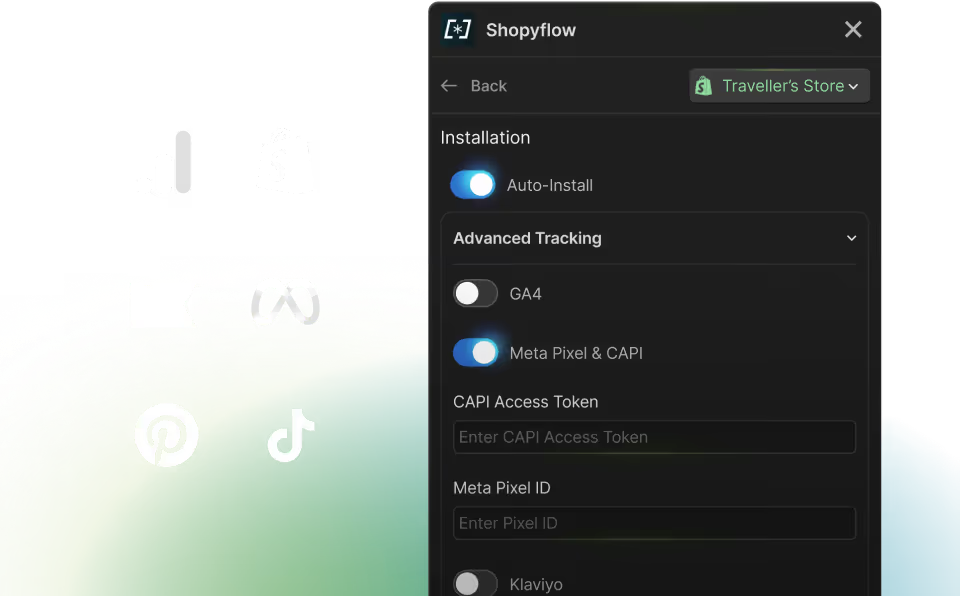
  • Built-in integrations with GA4, Meta Pixel, Klaviyo, Pinterest, and TikTok make tracking simple.

Your store is fast, fully integrated, and ready to scale.

Storesynk cart and Shopify checkout
Free until you launch
Compare your options

Ways to connect Shopify and Webflow

There are four common ways to run a Webflow Shopify integration. Here is how they compare on design control, SEO and effort.
 Shopify Buy ButtonWebflow EcommerceCustom headlessStoresynk
How it worksEmbeds Shopify's product widget and cart on a Webflow pageSell with Webflow's own ecommerce instead of ShopifyDevelopers build a storefront on Shopify's Storefront APITwo apps sync Shopify into Webflow CMS and add native ecommerce components
Design controlLimited to the widget's settingsFull, in the Webflow DesignerFull, in codeFull, in the Webflow Designer
Product pages for SEONo, products live in ShopifyYesYesYes, every product and collection gets a Webflow CMS page
Payments, checkout, inventoryShopifyWebflow's ownShopifyShopify
Shopify storefront apps (reviews, upsells, subscriptions)No, the embed has no themeNoOnly headless-ready apps, wired up by developersAll subscription apps, built-in upsells and tracking, plus integrations for selected apps such as Judge.me
EffortMinutesDaysMonths, ongoing developer workHours to days, no code
Best forA few products on a content siteSmall catalogs that don't need ShopifyLarge teams with engineersDesign-led brands and agencies on Shopify

Very large catalogs can hit Webflow's CMS item limits. If you sell thousands of products, talk to us first.

Free until you launch
FEATURES

Everything you need for your store’s growth

All the essentials and beyond.
Various pages inside Storesynk Webflow app

One-click setup,
all-native workflow

Real-time Shopify to CMS data sync
Preconfigured Component library
Client-first Starter Theme
Storesynk Relume Library
Extensive Documentation
Instant Discord Support
Storesynk Webflow components

Complete set of
ecommerce components

Complete Shopify Product dataset
Shopify Metafields
Upsells, Bundles & Cross-sells
Customizable Products
Subscription Products
Gift cards &
File upload

Build and manage advanced stores with ease

Multi-currency and Localization
Cart & Product Upsells
Predictive Search
& Filters
Customizable Products
Sub-Products
JavaScript API
Storesynk features

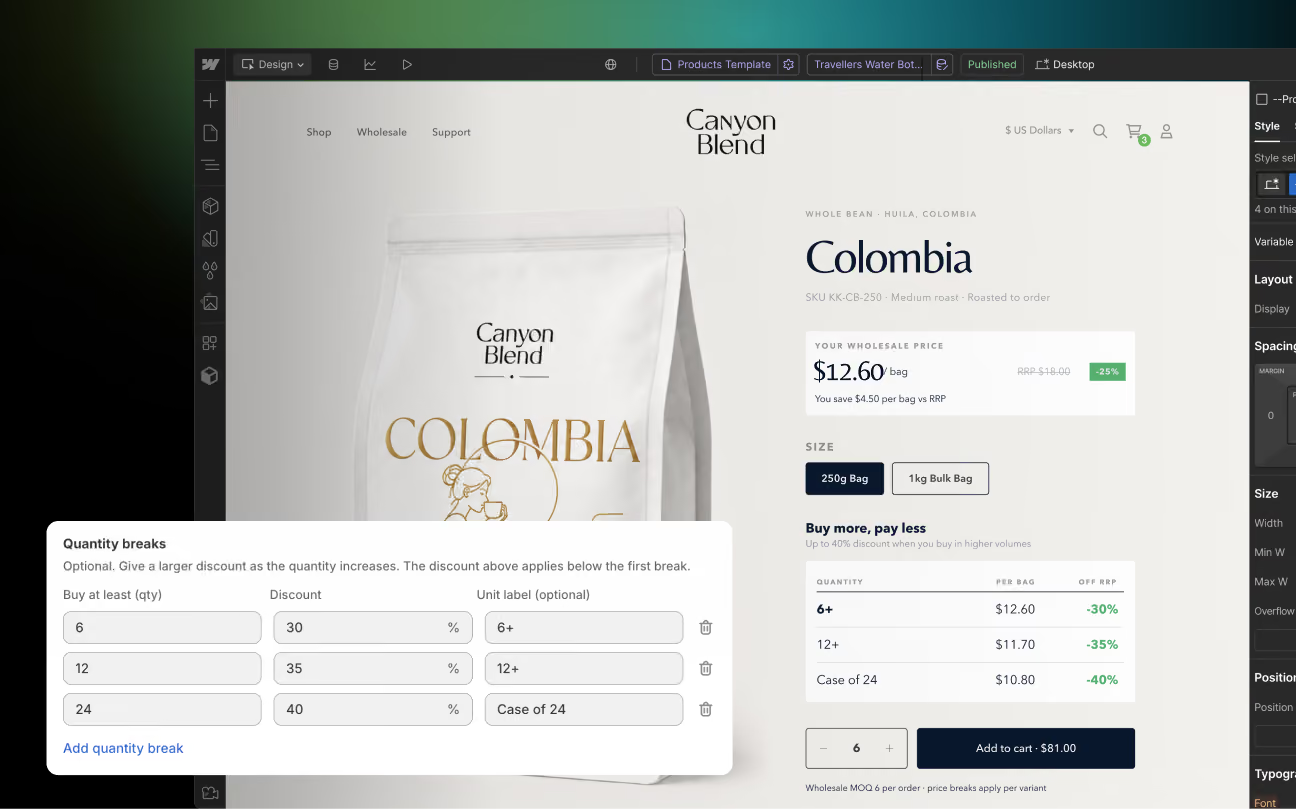
Wholesale Pricing

Order Value Discounts
Volume-tiered Discounts
Minimum requirements
Application Form & Screening Flow
Shopify-native Passwordless Login
Gated content
Claude Skill for Storesynk

Tracking & Analytics
Tool Integrations

Shopify
Analytics
Google
Analytics 4
Meta CAPI
Klaviyo
Pinterest
TikTok
Storesynk integrations seen in Storesynk Webflow app

Site audit with Claude Skill

Easy installation
Component audit
Live URL test
Checks for known issues
Generates report
Claude Skill for Storesynk
Free until you launch

Case studies

Hear stories of successful launches from Storesynk users
Cardynale
Mr. Wood
Elsolal
White Coco
BuddySim
Arcanium
Icetubs
MIGRATION GUIDE

Migrating from
Webflow Ecommerce?
Watch the video guide

Watch the video guide →
Video guide: migrating from Webflow Ecommerce to Shopify with Storesynk

FAQs

Can not find the answer?
Write us your question.

Ask a question

Is Shopyflow called Storesynk now?

Yes. The product, team and accounts are all the same. Just a new name and domain. Nothing changes for you. Your stores, integrations and subscriptions all keep working as before.

How do I add Shopify to Webflow?

Install the Storesynk app on both platforms. The Shopify app connects your store, and the Webflow app brings your Shopify data into the Webflow Designer. Storesynk then syncs your products, variants and collections into Webflow CMS, and you build your product pages, cart and search with native Webflow components. When you publish in Webflow, your store is live and checkout runs on Shopify. Most stores are set up in a few hours, not weeks.

Read the installation guide →

Can Webflow use Shopify checkout for a headless store, and what are the trade-offs?

Yes. Customers browse and add to cart on your Webflow site, then pay on Shopify's checkout, so you keep Shop Pay, all your payment methods, taxes and fraud protection. The trade-offs: checkout is styled in Shopify's checkout settings rather than in Webflow, it runs on a domain connected to Shopify (for example shop.yourbrand.com), and Shopify apps that rely on a Shopify theme need a headless-compatible alternative. Very large catalogs can also hit Webflow's CMS item limits.

How is this different from the Shopify Buy Button?

The Buy Button embeds Shopify's own product widget and cart into your page. You can only style them within its settings, and your products don't exist as real pages in Webflow. Storesynk syncs your products into Webflow CMS, so every product and collection gets its own SEO-friendly page, and the cart, variant selectors and search are native Webflow elements you design freely. You also get features the Buy Button doesn't offer, like upsells, bundles, multi-currency, customer accounts and wholesale pricing.

Do I need the Webflow e-commerce plan?

You don't need a Webflow E-commerce plan. Depending on your needs, you will need a Webflow Basic or a CMS plan.

How does checkout work?

All the shopping experience except for payment happens in Webflow. Once your customers go to checkout, they will be redirected to Shopify's checkout page to complete their purchases.

Can I still use my Shopify apps?

Payment, checkout, inventory and fulfillment apps keep working, because they run on Shopify, and all subscription apps work too. Apps that inject into a Shopify theme don't, so Storesynk includes upsells and tracking natively and integrates popular apps like Judge.me. Ask us about any other app.

Do I need to convert my Webflow site into a Shopify theme?

No. Storesynk brings Shopify into Webflow. From start to end you will stay in Webflow. No theme conversion or Shopify development is required.

How can I update my store in Webflow?

Just as you are updating a regular Webflow site. Update & publish in Webflow.

Can I use 3rd party libraries to filter and sort my products when using CMS?

Yes! Finsweet and Jetboost's solutions do wonders with Storesynk.

Which payment methods will be available to my customers with Storesynk?

All the payment methods that are available in your Shopify store will also be available when using Storesynk.

Do I need a Shopify theme?

No. You won't be using your Shopify theme. You will stay in Webflow.

What about discounts and coupons?

Using automatic product discounts, order discounts and coupon codes is possible with Storesynk.

I have a large catalog of products. Should I use Storesynk?

If you have thousands of products, Storesynk might not be the right solution for you. Our CMS approach requires creating CMS items for each unique product variant which means you will hit Webflow's CMS limits quite fast.

Will my store be secure?

Yes. Storesynk is powered by Shopify’s Storefront API. It’s a public API. This means Storesynk can only access publicly available information. Nothing else.